Minecraft APK
Mojang
May 20, 2026
900 MB
1.26.22.1
Andoid 8.0 and up
100M+

Images
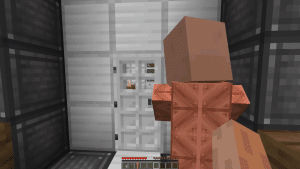
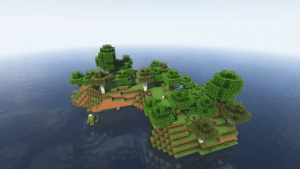
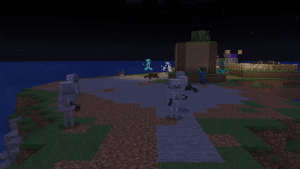
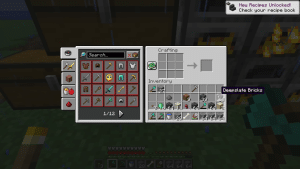
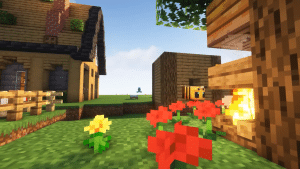
What's new
In this update, a lot of bugs and crashes are fixed, while some improvements are also made:
- Added the new Sulfur Caves biome with improved surface generation support.
- Sulfur Caves can now appear exposed above ground with their underground features intact.
- Updated Sulfur Cube behavior and interactions.
- Sulfur Cubes carrying magma blocks are now immune to Magma Block damage.
- Sulfur Cubes with magma blocks no longer hurt each other.
- OpenGL is now the default graphics API for better stability.
- Vulkan graphics mode has been moved to Experimental settings.
- Default graphics option now automatically uses OpenGL.
- Graphics API settings were reset to Default for all players.
- Beds are now slightly bouncier for gameplay consistency with Bedrock Edition.
- Added a darker Friends UI background sprite for confirmation dialogs.
- Introduced new
minecraft:sulfur_cube_hotdamage type. - Data Pack version updated to 106.0.
/publishcommand now supports local-only or online multiplayer options.- Added new
/unpublishcommand to close integrated servers instantly. - Fixed random invisible block issues after breaking blocks.
- Resolved freezes caused by certain villager trade upgrades.
- Fixed screenshot keybind problems when using mouse buttons.
- Improved sulfur cube sound behavior near cacti.
- Fixed sign lighting and texture rendering issues.
- Fixed multiplayer visibility problems for published worlds.
- Fixed friend-only world access issues on shared networks.
- Fixed skin preview rotation in reporting screen.
- Fixed geyser launch fall damage bug.
- Fixed several texture, UI, and chat-related issues.
- Improved stability and overall gameplay performance.
Description
Minecraft APK is a sandbox game released in 2011 on the Play Store. It was developed and published by Mojang Studios, which was later acquired by Microsoft for $2.5 billion. The developers offer a Minecraft Trial Version, which is completely free, while the main version is paid. This game has crossed over 100 million downloads on the Play Store with an impressive 4.6 rating from 5.66 million players. You can download the latest version of Minecraft and enjoy an unlimited creative experience.
Table of contents
Gameplay
This game gives players complete freedom to survive, build, explore, and create in a massive block-based world. When you start a new world, you usually begin by punching trees to collect wood logs, which are then crafted into wooden planks, sticks, and basic tools like a wooden pickaxe or axe. As you progress, you can mine valuable resources such as coal, iron, gold, redstone, diamonds, and even ancient debris to craft powerful Netherite armor and weapons.
Minecraft also supports multiplayer gameplay where friends can join servers, play mini-games, trade items, or build together. Popular items like Elytra wings, Totems of Undying, Tridents, Shields, Crossbows, and enchanted diamond swords make gameplay even more exciting and strategic.
Game Modes
The Minecraft Pocket Edition/Bedrock Edition officially offers three core modes, each offering a different way to play.
Survival Mode
In Survival Mode, you must survive on an island or in the middle of a desert, meaning you cannot leave until you stay alive. At the start, you have nothing, so you must gather basic resources like wood, stone, coal, and iron to craft tools, weapons, and armor. You also need to manage hunger by eating food items such as bread, cooked beef, and apples. There is a hunger bar; if it drops below 3 units, the player cannot sprint, and if it becomes empty, the player starts to starve.
At night, zombies attack, so you can either fight them or stay safe inside a shelter. You must build shelters and structures using blocks like cobblestone or oak planks.
Creative Mode
This mode removes all limits and gives you unlimited blocks like diamond blocks, TNT, glass, and more. You can fly freely and break any block instantly, allowing you to focus only on building massive structures, cities, or redstone machines without worrying about health or enemies. The famous YouTuber N11ck built the entire GTA 5 map in Minecraft with the help of the community. Many players also create and fly realistic planes with proper seats and detailed sections.
Adventure Mode
It is mainly used for custom maps where players cannot freely break or place blocks unless they have the correct tools. It is designed for special experiences like puzzle maps, story-based worlds, or challenges created by other players, making gameplay more controlled and goal-focused.
Key Features
Minecraft comes with a wide range of features that make the gameplay deep, flexible, and long-lasting:
- Open-world sandbox environment with randomly generated worlds
- Multiple biomes, including deserts, jungles, oceans, mountains, and snowy plains
- Survival system with health, hunger, and resource management
- Creative mode with unlimited blocks and free flying
- Adventure mode for custom maps with controlled block interaction
- Hardcore mode with permanent death for extra challenge
- Crafting system for tools, weapons, armor, and utility items like pickaxes, swords, shields, furnaces, and crafting tables
- Mining system with ores like coal, iron, gold, diamond, emerald, and ancient debris
- Combat system featuring mobs such as zombies, skeletons, creepers, Endermen, spiders, witches, and blazes
- Building system using blocks like wood, stone, glass, bricks, and concrete
- Redstone mechanics for automation using pistons, hoppers, observers, repeaters, and comparators
- Farming system for crops like wheat, carrots, potatoes, sugarcane, and animals like cows, sheep, and chickens
- Exploration of structures such as villages, temples, dungeons, strongholds, woodland mansions, and ocean monuments
- Multiple dimensions, including the Overworld, Nether, and The End
- The boss fights against the Ender Dragon and Wither
- Multiplayer support through servers, realms, and LAN play
- Customization with skins, texture packs, and add-ons
- Item progression with powerful gear like enchanted diamond armor, Netherite tools, Elytra wings, tridents, and totems of undying
- Continuous updates adding new mobs, blocks, and gameplay mechanics
System Requirements
| Component | Minimum | Recommended |
| Operating System | Android 8.0 or higher | Android 11.0 or newer |
| Architecture | 64-bit (ARM64-v8a) | 64-bit (ARM64-v8a) |
| RAM | 2 GB | 4 GB to 6 GB |
| Graphics (GPU API) | OpenGL ES 3.1 support | Vulkan 1.1 support |
| Storage Space | 1.5 GB free space | 4+ GB free space |
| Storage Type | eMMC | UFS 2.1 / 3.1 Storage |
| Processor Level | Snapdragon 439 / Helio P22 | Snapdragon 680 / Dimensity 7050 or better |
The Minimum system requirements are the least required to run the game, while the recommended requirements are suggested for the best and smooth experience.
How to Install Minecraft APK for Free
Step 1:
First, download Minecraft from the website. Once downloading is finished, locate the APK in the downloads folder of your device, which you can access through File Manager.
Step 2:
Click on the APK, and your phone will ask for installation from unknown sources. For this, go to settings>security settings>Unknown source installation and toggle it ON. Now go back and finish the installation. Remember to do not forget to scan the file via Play Protect.
Compatibility
After the introduction of every new Android version or due to a game update, the minimum Android version requirements are lifted. So, those players who have low-end devices can download the old version, such as 1.21 or 1.21.131. These are the compatible versions with less lag, but on the other hand, the features will also be fewer.
Safety and Legal Notice
All files are unmodified and original as published by the developers. We scan the files through the Virus Total (check results here) to ensure the safety and authenticity. Never download the mod APK as they are tampered with, and there is a high chance that they contain any malicious code to steal your personal information.
Conclusion
Minecraft is one of the best sandbox games that gives you endless opportunities to explore and create your imagination. You can build houses, hotels, restaurants, islands, and even full maps. It also offers survival challenges where you gather resources, fight mobs, and progress through different dimensions like the Nether and the End. This mix of creativity and adventure keeps the gameplay fresh no matter how long you play.
Frequently Asked Questions
We strongly advise against using modded or “cracked” APKs. Not only do they violate Mojang’s Terms of Service, but they also carry a high risk of containing malware or viruses that can compromise your personal data. Always stick to original, unmodified files.
No, you can play Minecraft completely offline.
Yes! You can manually move your worlds using your phone’s File Manager. Navigate to your internal storage, find the games/com.mojang/minecraftWorlds folder, copy your saved folders, and paste them into the exact same location on your new device.