PUBG Mobile Flash
Krafton
October 09, 2026
960 MB
4.6.0
Android 5.0 or higher
10K+

Images
What's new
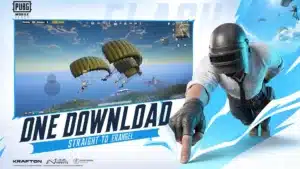
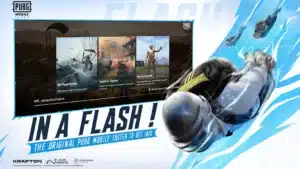
【Built for More Devices】 Enjoy the original PUBG MOBILE experience with a lighter download and optimized performance across more phones. 【Take Up Less Space】 A lighter initial download leaves more room for your photos, videos and everyday apps. 【One Download to Start】 No secondary download—play instantly after downloading. 【Erangel Comes Pre-installed】 Jump straight into Erangel the moment you install. No additional download is required before your first battle. 【Download Only What You Need】 Download additional maps and modes whenever you want and expand your experience at your own pace. 【Stay in One PUBG MOBILE World with FLASH.】 Experience the same authentic battle royale, the same friends, the same updates, and the same PUBG MOBILE world with a lighter beginning.
Description
PUBG Mobile Flash, previously known as PUBG Light, is the lightweight version of PUBG Mobile launched for low-end device players who have limited storage and low FPS. Due to the addition of numerous graphics resources, the game became heavier and more demanding on older phones. As the game also reached 1 billion downloads on the Play Store, the officials planned to launch a lightweight version that could be cross-played with the original game. So, they launched this version, which is just around 1 GB and offers optional downloads for additional resources, maps, and graphics packs. Download the PUBG Mobile Flash 4.6.0 APK for your Android phone and enjoy a lag-free experience.
Graphics and Gameplay
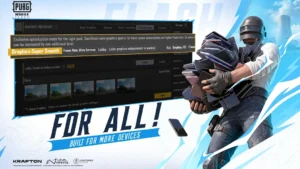
A new option, Flash Exclusive, has been added to this game, which automatically sets the best graphics settings for your device. The HD graphics pack and icons are optional, so you can choose what to download based on your storage and device performance. If you continue with the default graphics, you will notice that the texture is blurry and rough, items are not clear, and edges are not sharp. This is part of the optimization; the quality is compromised for a stable and smooth experience.
The gameplay is similar to the original, but the FPS is stable, and there is no lag in hot drops. This version has been developed for almost all types of devices, either low-end or high-end, and you will get a maximum of 120 FPS according to your device’s hardware.
Main Features
Less Storage Space: The base APK size is around 960 MB, which saves a lot of space on your phone for photos, videos, and other everyday apps.
No Secondary Download to Start: Unlike the standard version, you do not have to wait at the loading screen to download extra resource files before entering the lobby. Once you install the APK, you can log in and play immediately.
Pre-Installed Erangel Map: The classic Erangel map comes already built into the initial installation. You can jump straight into your first match right after installing the game without waiting for any map downloads.
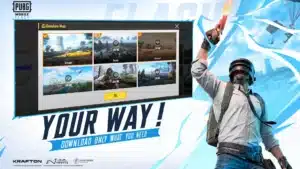
Download Only What You Need: Every other map, Arena mode, and resource pack is completely optional. You have full control to download only the modes and maps you actually play, keeping the game size under your control.
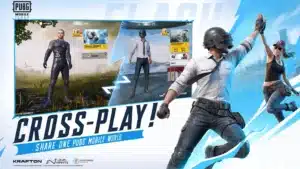
Same Account and Cross-Play Support: This is not a separate server like the old PUBG Mobile Lite. You can log in with your original PUBG Mobile account, keep all your progress and inventory, and team up directly with friends who are playing on the standard version.
Built for More Devices: With the new Super Smooth and Flash Exclusive graphics options, the game is optimized to run smoothly on low-end phones (Android 5.0 and above) while still supporting high frame rates for powerful devices.
How to Play PUBG Flash
Before you begin downloading, make sure you have at least 1 GB of storage on your phone to avoid interruptions.
- Click on the download button above and download the .xapk file.
- Install the xapk installer from the play store.
- Now install the game through this installer.
- Once finished, run the game and give storage and mic permissions.
- Then log in to your account, start Erangel, and jump straight into the battle without any additional downloading.
How to get updates?
Just like the main game, you will get new season updates through the Play Store as a new Theme mode arrives. For Example, the PUBG Mobile 4.7 update will be released on November 12, 2026, so this game will also get the update on the same date and time. You do not have to wait long to get it.
PUBG Mobile vs PUBG Mobile Flash
I installed and played this game on a Pixel 7 Pro that supports 60 FPS. The overall game was smooth, and the FPS was stable compared to the original game, which has 50-60 FPS, but in Flash it remained stable at 58-59-60 FPS. The device temperature and the internet speed also matters but in my case it was same. After the initial download, I noticed that my outfits did not have any icons and look, which means they did something great to save storage. Everything, including the lobby, crates, popularity icons, and other things, is so optimized that for some time I felt it was removed. But from the download section, you can download whatever you want. The thing that I like the most is that there are no banner ads, no pop-ups, and no distractions- just download and jump straight into Erangel.
Is it cross-play with BGMI?
Unfortunately, it is made for global users only. However, for indian users, a similar version named BGMI Air has been introduced that will do the same thing, but only the name is different and it can only be played in India, cross=played with BGMI.