Minecraft
Mojang
December 16, 2025
415 MB
1.21.131
Andoid 8.0 and up
100M+

Images
What's new
Minecraft 1.21.131 Hotfix Changes:
-
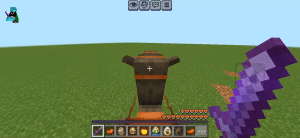
Increased the duration a spear can apply knockback while charging.
-
Spear charge animations now accurately show when the player is engaged, tired, or disengaged.
-
Fixed a bug on PC where the "Adventuring Time" achievement unlocked before visiting 17 biomes.
-
Fixed a bug where the Escape/Cancel key stopped working after using the Marketplace search bar.
-
Fixed a "block error" crash that occurred when creating or loading worlds with multiple add-ons.
-
Fixed broken UI textures on the Nintendo Switch when loading add-ons or servers.
New Menu & Server Updates:
-
Zombie Cape Notification: A new inbox message confirming the cape will arrive in 30 days for players who completed the recent event.
-
Mob Maze: A new featured co-op server on the main menu where players work together to escape a maze.
New Marketplace Add-ons Released:
-
Lucky Tool (Free)
-
Realistic Trains
-
Prank Add-on
-
Dogs Add-on
-
Vibrant Realism
-
Holiday Helper
-
Pets Add-on
-
Mythical Pets
Description
Minecraft 1.21.131 is a hotfix update that focuses on improvements rather than introducing new content. In the previous versions, many users reported game crashes, freezes, and mobs not behaving properly. So, Mojang released a quick patch to fix these issues and make the game smoother on low-end devices, especially while playing survival worlds. Now you can download the APK and experience uninterrupted gameplay.
Key Features
Combat & Weapon Adjustments
- The duration that a Spear can apply knockback while charging has been increased.
- Charge attack animations for the Spear have been updated to align much more closely with its specific gameplay phases (Engaged, Tired, and Disengaged), offering better visual feedback during combat.
Add-on & Interface Fixes
- Addressed a critical error that was breaking certain custom add-ons related to blocks.
- Fixed a graphical bug where UI textures would look incorrect or corrupted on the Switch when players were loading add-ons or connecting to external servers.
Performance & Stability
- Significantly reduced crashes that occurred while loading into worlds or connecting to servers.
- Improved memory handling and game stability, specifically reducing frame drops on mid-range Android phones and tablets.
- Patched minor visual and rendering glitches related to entity interaction and mob behavior across various biomes.
Note: Because 1.21.131 is a minor hotfix, it does not add new biomes or mobs, but rather refines the content recently introduced in the 1.21 base update. For the complete technical breakdown, you can read the official patch notes.
Why do Players want v1.21.131
New versions come with new features and additions that can make the game heavier and drain more battery, which low-end device players may notice. To maintain stable FPS and a lag-free experience, some users downgrade to older versions. However, I always recommend players install the latest version, as it includes security patches that help keep your device secure.
How to Install this Update?
To install the APK, you need permission from your phone’s settings. To do so:
Go to your phone’s Settings > Security or Privacy section, then enable “Install unknown apps” or “Unknown sources” for the browser or file manager you will use.
After that, follow these steps:
- Open your File Manager and locate the downloaded file.
- Tap on the APK file. Press Install and wait for the process to complete.
- Once installed, open the app and enjoy the update.
Safety and legal notice
All files are scanned and verified before publication to ensure safety and authenticity. I always recommend downloading files from trusted sources. After installing Minecraft 1.21.131, your progress will be preserved.
Frequently Asked Questions
Yes, the bug associated with the custom skin has been fixed.
Yes, the hotfix resolves a major bug that triggered a “block error” code during level loads or world creation when using multiple add-ons.
A navigation bug was resolved where the Escape key and menu cancel button would stop working after using the search bar on the Marketplace homepage.
Yes, the update fixes a graphical issue on the Switch where UI textures looked incorrect when loading add-ons or connecting to servers.
Note: If you are looking for an older version, I recommend installing the Minecraft 1.21.101 PE.